Fast Websites and Landing Pages
Fixed-scope launch websites and landing pages for businesses that need more inquiries quickly.
- Service and landing pages
- Mobile-responsive layouts
- Contact forms and WhatsApp/email paths
- Project or gallery sections
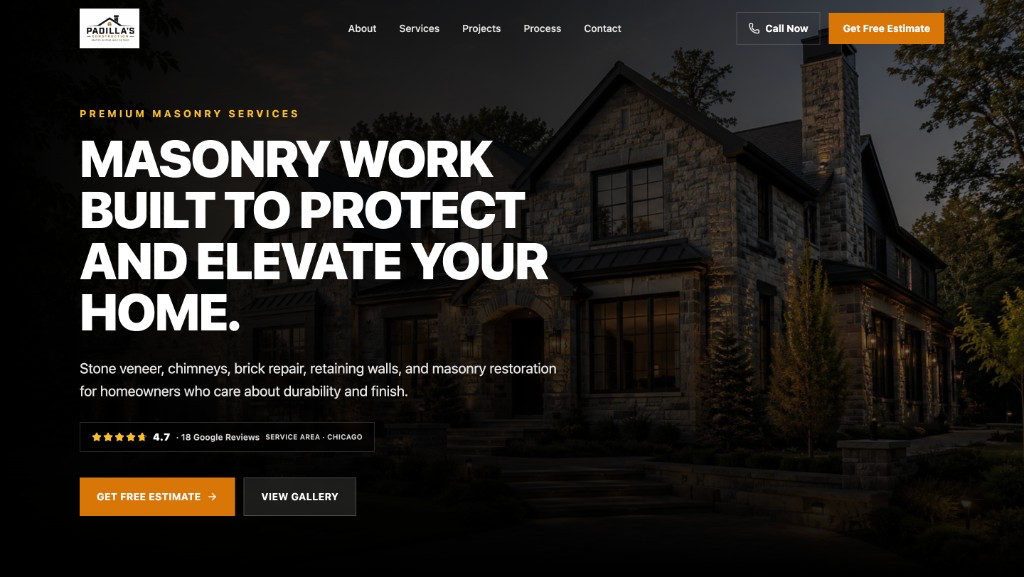
Websites
Fast public sites with a clear contact path.

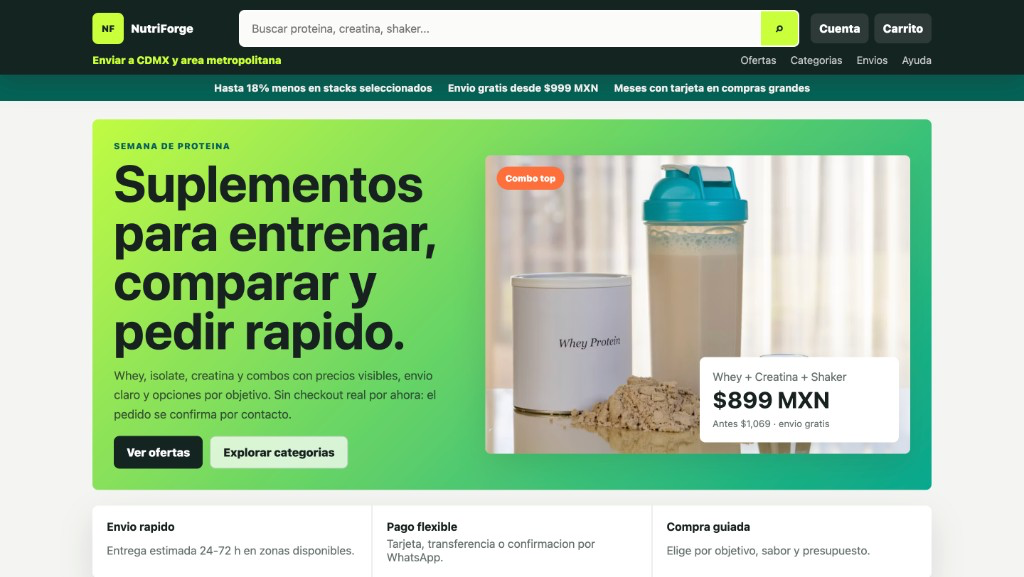
NutriForge Supplements
Product catalog website with contact-based orders.

CRM systems
Lead tracking and follow-up after inquiries come in.
Workflow automation
Intake, notifications, approvals, and activity logs.
AI agents
Guided assistants for repetitive admin workflows.
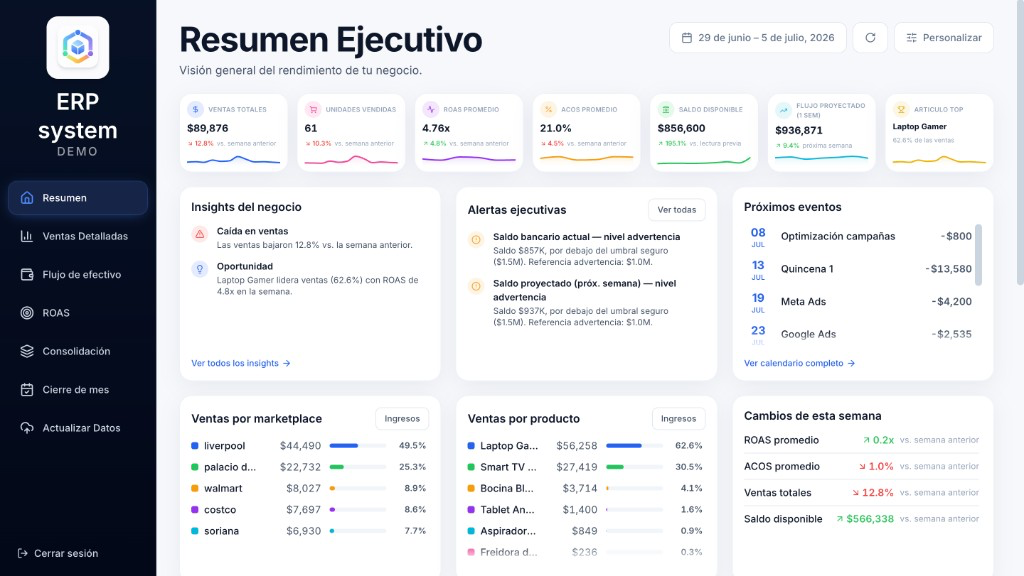
ERP
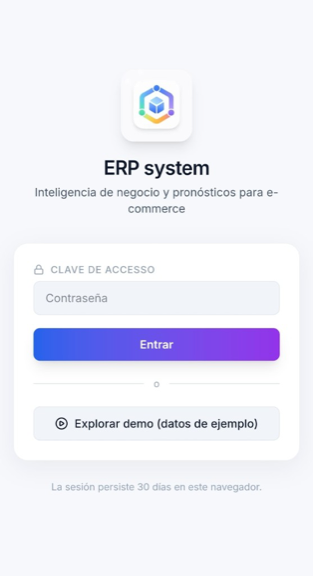
Demo business system screens for bigger upgrades.

Dashboards and reporting
Operational numbers owners can read quickly.
Data science services
Clean data, forecasts, scenarios, and repeatable analysis.
4+ years
Building business software and automation
6 projects
Delivered across web, operations, and data
Company-led
Direct communication from discovery to delivery
Common problems
Services
The first offer is a fast website or landing page built to create a clearer contact path. CRM, workflow automation, AI agents, ERP, dashboards and reporting, and data science services can remove manual work and make operations easier to manage.
Featured proof
ERP / Marketplace Integrations / Analytics
Marketplace, storefront, finance, and ops data lived apart, so reporting was slow and balances hard to reconcile without manual work.
Built a marketplace-agnostic layer that normalizes sales, inventory, invoices, ads, and balances into dashboards, forecasts, and executive reporting.

ERP / Operations / Reporting
Operational records were fragmented, making it difficult for management to review sales, expenses, and invoices in a consistent monthly rhythm.
Designed an operations-focused ERP module covering sales capture, expense tracking, invoice organization, and management dashboards.
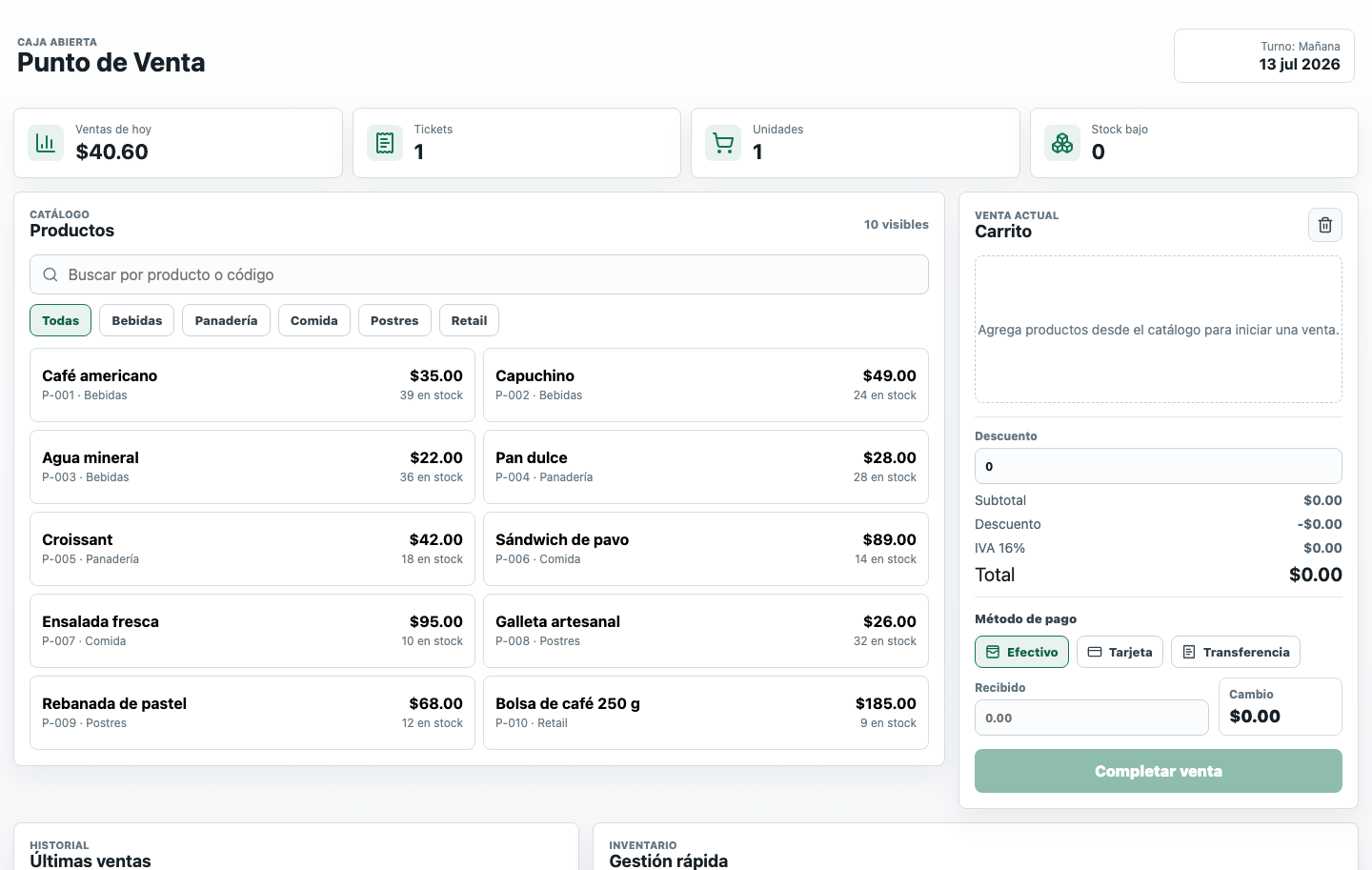
POS / Inventory / Sales Dashboard
Sales, payments, ticket history, and stock levels are easy to lose when the counter workflow depends on separate notes, manual totals, or disconnected spreadsheets.
Built a live POS system with a searchable product catalog, cart, discounts, multiple payment methods, inventory indicators, ticket printing, recent sales history, and dashboard totals for the day.

Business System / Spreadsheet Automation
Clinic treatment records, commissions, and account movements were hard to keep consistent in spreadsheets.
Built a clinic management system for treatment and product catalogs, staff commissions, account records, and recurring summaries.
ERP / Marketplace Integrations / Analytics
Marketplace, storefront, finance, and ops data lived apart, so reporting was slow and balances hard to reconcile without manual work.
Built a marketplace-agnostic layer that normalizes sales, inventory, invoices, ads, and balances into dashboards, forecasts, and executive reporting.
ERP / Operations / Reporting
Operational records were fragmented, making it difficult for management to review sales, expenses, and invoices in a consistent monthly rhythm.
Designed an operations-focused ERP module covering sales capture, expense tracking, invoice organization, and management dashboards.
POS / Inventory / Sales Dashboard
Sales, payments, ticket history, and stock levels are easy to lose when the counter workflow depends on separate notes, manual totals, or disconnected spreadsheets.
Built a live POS system with a searchable product catalog, cart, discounts, multiple payment methods, inventory indicators, ticket printing, recent sales history, and dashboard totals for the day.
Business System / Spreadsheet Automation
Clinic treatment records, commissions, and account movements were hard to keep consistent in spreadsheets.
Built a clinic management system for treatment and product catalogs, staff commissions, account records, and recurring summaries.
Premium proof
ERP stays the upgrade path for businesses that need centralized operations, roles, and business rules — after a website, automation, or dashboard has already proven useful.
Demo ERP platform using demo data. No real customer invoices, emails, or private records are shown here.
Demo ERP platform using demo data.
Customer websites
Two public website styles: lead-gen for local services, and a supplements catalog storefront. Shown with permission — no traffic or revenue claims.
Construction / masonry
Service presentation, gallery path, and inquiry CTAs for a masonry business — desktop and mobile views shown with permission.
Public client website shown with permission.
Supplements / catalog
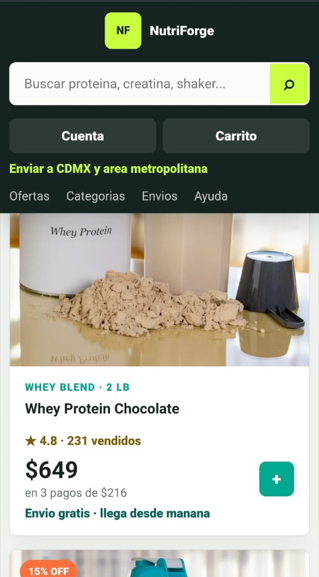
Offers, search, and mobile product cards for a supplements storefront — with contact-based order confirmation instead of a fake checkout.
Public website example shown with permission. No live checkout in this version — orders confirm by contact.
Process
Stage 01
Understand the operation, users, bottlenecks, current tools, data sources, constraints, and intended business outcome.
Stage 02
Define the solution structure, modules, integrations, permissions, data model, user flows, delivery phases, and success criteria.
Stage 03
Develop the system in controlled stages, test the critical workflows, validate data quality, and collect feedback from real users.
Stage 04
Deploy the solution, support adoption, resolve operational issues, and prioritize improvements based on actual use.
Send the business, content readiness, and goal for the first release. Website slots are fixed-scope; automation, dashboards, and ERP work can follow once the first version is live.